Request sent. We will email your data room access link shortly. Your Account Manager will contact you to discuss your project.

IDEALS MCP

Your favorite AI 
meets Ideals VDR

Run entire project with Claude, ChatGPT, or Copilot from due diligence to signing without compromising on security


We’re committed to your success

How do AI tools work

with Ideals?

The Ideals Model Context Protocol (MCP) server creates 
a secure bridge between your project and AI tools, enabling them to act directly inside Ideals – while your 
data always stays fully protected

Work at the speed
of conversation

Connect the AI tools your team already uses and run your deal without leaving the chat

Ask instead of click

Describe the task you want to perform and AI acts directly inside the data room on your behalf

Cut days into minutes

Set up folders, review documents, process Q&A, and track activity – in a fraction of the time 

Stay in control

The AI works within your existing permissions, with every action captured in a full audit trail

Turn prompts into
deal momentum

Execute every step of the deal cycle inside your data room, from both sides of the M&A table

AI assistant · Claude
Project Ideon · Connected
C
Claude · Ideals VDR
Connected to Project Ideon
Active

Trusted security across
 every layer

Global data residency

Select your preferred data storage location – across multiple locations in Europe, Asia, Oceania, North and South America – to meet compliance needs and ensure optimal performance


Physical data protection

All Ideals data centers are protected by strict access policies and secure vaults


Fully closed secure perimeter

Your data stays protected within a unified, secure environment – never leaving our perimeter. All processing, including AI, happens safely inside, with no external exposure.


Industry-leading 99.95% uptime

Infrastructure components are designed with built-in redundancy, ensuring a highly resilient and fail-safe environment


Real-time data backup

Real time data synchronization between geographically remote data center and a resilient backup to ensure data can never be lost


Disaster recovery

Data remains accessible and protected even in emergencies, thanks to geographically remote data centers and measures to prevent worst-case scenarios


Multi-layered data encryption

Files are transferred with high-grade TLS protocol and encrypted at rest with 256-bit AES keys, stored separately from the data

8 levels of access rights

Administrators can set or restrict permissions easily, providing granular or role-based access to the data room


Dynamic watermarking

Names, IP addresses and times of access are included in watermarks, so you can track the source of any leak


Fence view

Partially conceal documents to prevent security breaches through screen printing, screen capture or unauthorized viewing


Secure spreadsheet viewer

Protect, view, and manipulate Excel spreadsheets online with restricted or secure access, including formula control


User security impersonation

Administrators can view document access from any user’s perspective to ensure that users see only their authorized documents


No footprints

No data is stored on the client side. It’s only held in RAM and never permanently written.


Intelligent redaction

Use advanced AI assistance to streamline redaction and protect sensitive data before sharing documents with third parties


Remote shred

Specify the duration for document downloads and revoke access rights to files even after they have been downloaded

Up and running
in 3 simple steps

Enable once and your team can start working through
their preferred AI tool immediately
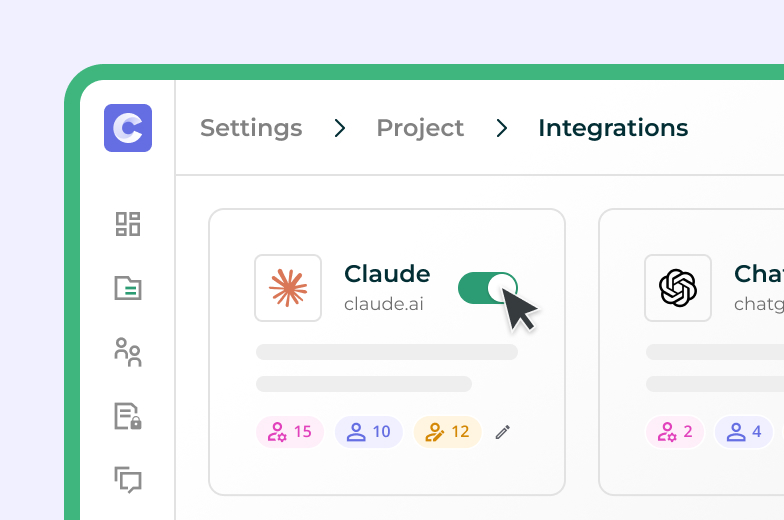
1. Enable AI tool in Ideals

Go to Settings. Integrations and enable your preferred AI tool for relevant user groups.
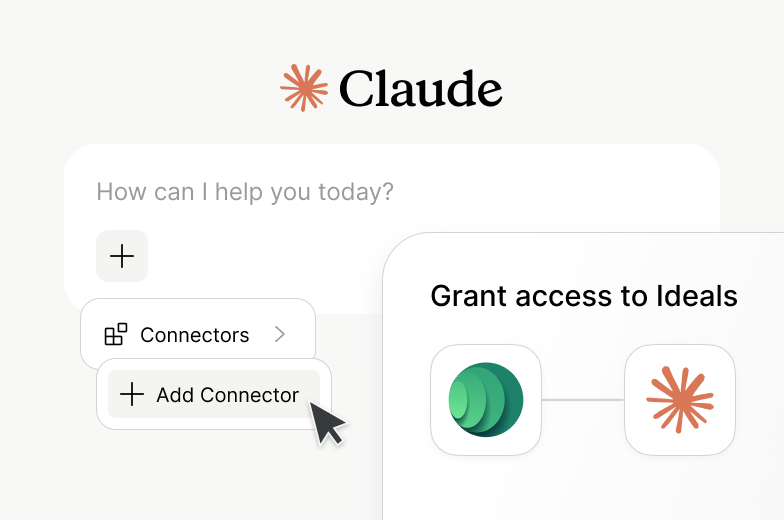
2. Connect your AI tool

Open your AI tool, add Ideals as a connector, and your existing access rights carry over automatically
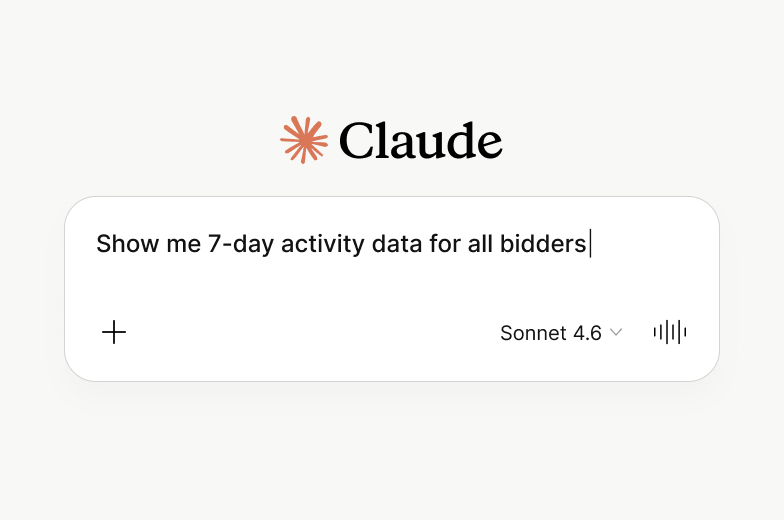
3. Start prompting

Write what you need in your own words and AI handles it directly within your data room

Frequently Asked Questions

Still have a question? Contact us

MCP is an open standard that securely connects AI tools to your Ideals data room. It allows AI to search, analyse, and take action directly inside the data room.

No. MCP is built into Ideals as a secure connectivity layer. Your data room remains the foundation for storage, permissions, and audit – MCP simply enables AI to work within it.


No. Your deal data is not used to train Ideals or third-party models. All interactions are limited to your data room and governed by your permissions.


AI operates within your existing access rights. It can only see and act on what you’re already authorised to access, with no additional permissions required.


You can structure data rooms, manage access, search and summarise documents, handle Q&A, track activity, and run diligence workflows – all through natural language prompts.


Without MCP, teams often upload sensitive documents into external tools – creating security risks and no audit trail. With MCP, AI connects directly to your data room, and every action is tracked and governed.

Just a few clicks. Enable your preferred AI tool in Ideals settings, then open Claude or ChatGPT and add Ideals as a connector – no technical setup or training required.